Tech writing and UX - Collaborate together for success (Pt 2)
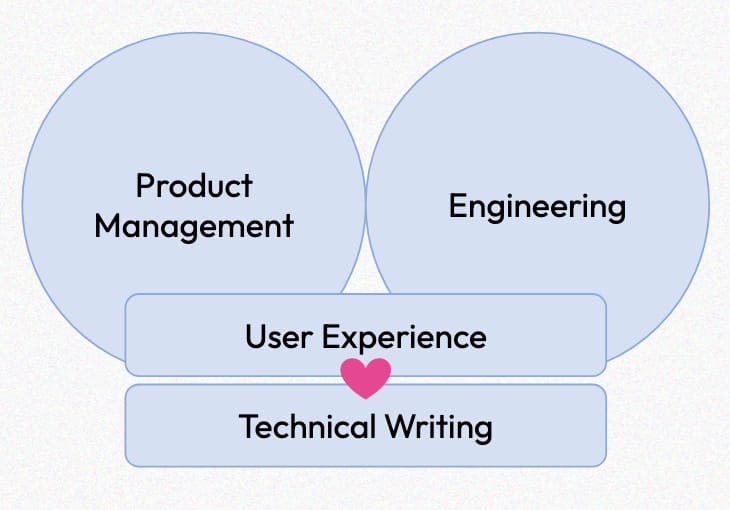
This is Part 2 of a 2 part blog. Visit Part 1 to hear about why Technical Writers and UX Designers should work together, what these roles have in common, and some information about how these two roles can share artifacts and metrics.
In Part 2, we're going to dive into these specific ways of collaboration:
- You're Good with Words, Right? - Collaborate on microcopy and UI writing
- Help You Help Yourself - In-application help and interactions can help users before they go to documentation.
You're good with words, right?
Collaborate on microcopy and UI writing
Most UX Designers are not writers - but the microcopy inside a product can be some of the most impactful to the overall user experience.
"While reading is something users do all the time, understanding micro-interactions or other interactive methods of communication imposes a greater cognitive load. Therefore, users are far more receptive to feedback that they receive through the medium of text than via any other means of communication." - Why Small Words Matter: The Importance of Microcopy UX
"Concise, clear UX writing can center the focus of an entire interaction on a particular goal, making users more productive." - The Importance of UX Writing
There is an entire emerging field within UX for UX Writing and Content Design (Check out this article by my colleague at Red Hat), but many UX designers do not have access to this resource, either because their organization doesn't have any, or they don't have enough of them!
Technical Writers and UX Designers can collaborate to make the copy inside a product better:
- Technical Writers are professional writers and communicators. Their insight into the microcopy allows it to improve
- This collaboration sets up for greater alignment between the exact phrasing and words used in the microcopy and in the documentation, allowing for a more consistent experience between these two places.
- This collaboration reveals potential overloads in language (fix this with a glossary!) and other issues with language in the UI
Glossary co-creation
Having a glossary of terms for a product can help immensely in having clear and precise language in documentation; and it also assists product teams in making sure they are not overloading terms or using incorrect language to describe features or interactions. Creating a glossary together is a great way of getting this in place quickly with effective knowledge sharing.
This co-creation has been especially helpful in highly technical environments, such as the work my team does at Red Hat.
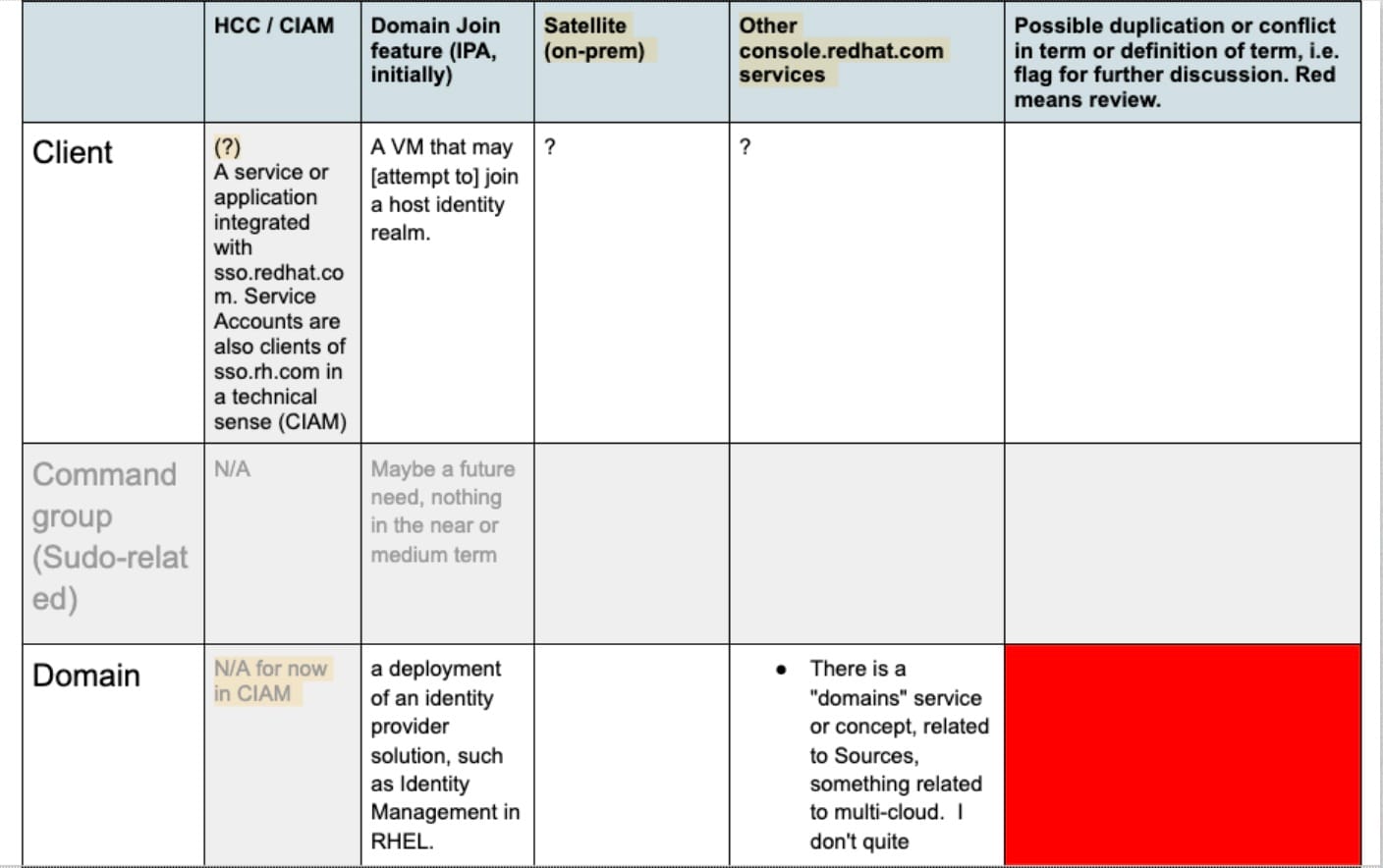

For co-creation, I recommend:
- A shared spreadsheet where all parties can collaborate and edit. (We use Google Sheets)
- Identify all existing terms, and define them
- You could use a workshop to work through any existing product & documentation and identify existing terms.
- Set ongoing collaboration time to work through all terms and define them
- You may need to do a lot of back-and-forth to define terms, and need to bring in more team members to make sure you have it right (e.g. PM, Dev, Marketing)
- Keep this evergreen! Refer back to it as part of a regular practice and add new terms are they are needed due to new development.
- Make sure you continue to collaborate on definitions and have agreement on what they are before a design is finalized.
- If one or both parties have something started - use this as a starting point! No need to start from scratch.
Directly collaborate on UX copy
Directly collaborating on UX copy is a good way to ensure precise verbiage that is consistent in both the product experience, and in the documentation.
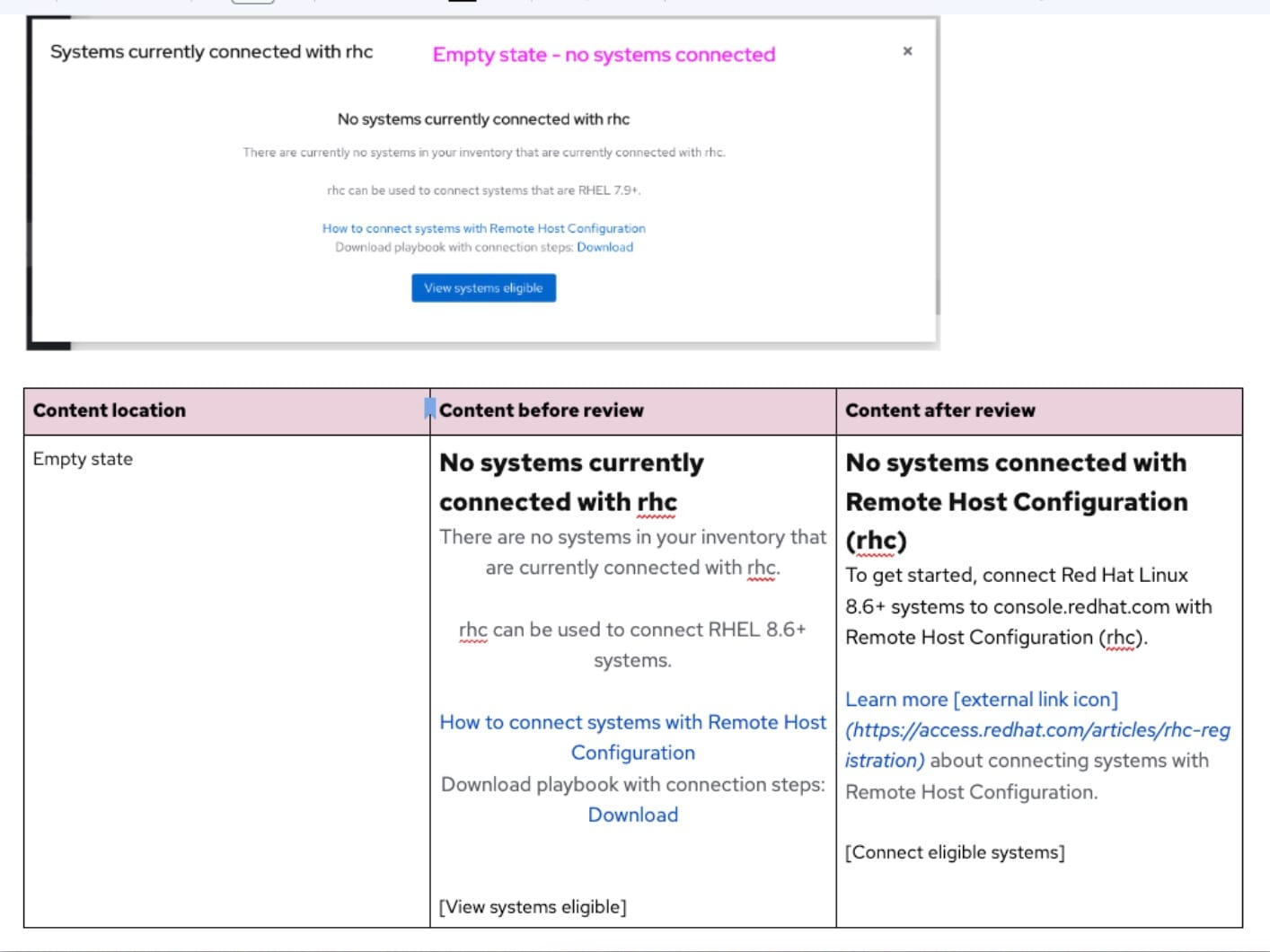
For this you will need:
- A collaboration space - We use Google Docs but any collaborative editor will do
- Identification of all copy in designs that needs review - empty states, instruction text, helper text, etc.
- Pull screenshots of how this will look in the UI, and/or give more detail about the user's workflow to this point
- Copy the UX designer's draft text into the doc as an "original"; and leave a dedicated space for the revised version
- Working together, revise and edit the draft text for clarity and precision.
- Reference this microcopy text when writing documentation later
🚨 Watch out for a potential pitfall! 🚨 Technical writing and UX copy can have different needs: e.g. the products brand may demand a different tone; or text may need to be more concise to fit in smaller spaces. When collaborating, make sure that you take these needs directly into account.
Help You Help Yourself
In-application help and interactions can help users before they go to documentation.
Integrating product help into the experience directly can be great for users - and this is another place where technical writing and UX design can work together.
Product Led Growth (PLG) is a business strategy that makes the product the center of the purchasing journey. Which means: users need to discover new features, try them, and like them… all within the product.
Directly integrating help can also be good for complex tasks that users frequently need help with. (The next section will talk about identifying these tasks).
Ways that help can be integrated tightly into the user experience:
- Direct guides in the UI, such as guided tours, or quickstarts
- Intelligent, contextual links to documentation just-in-time for users
- Identification and writing of needed documentation (e.g. writing a new doc to account for a question the user may have, which may have not been apparent without this collaboration)
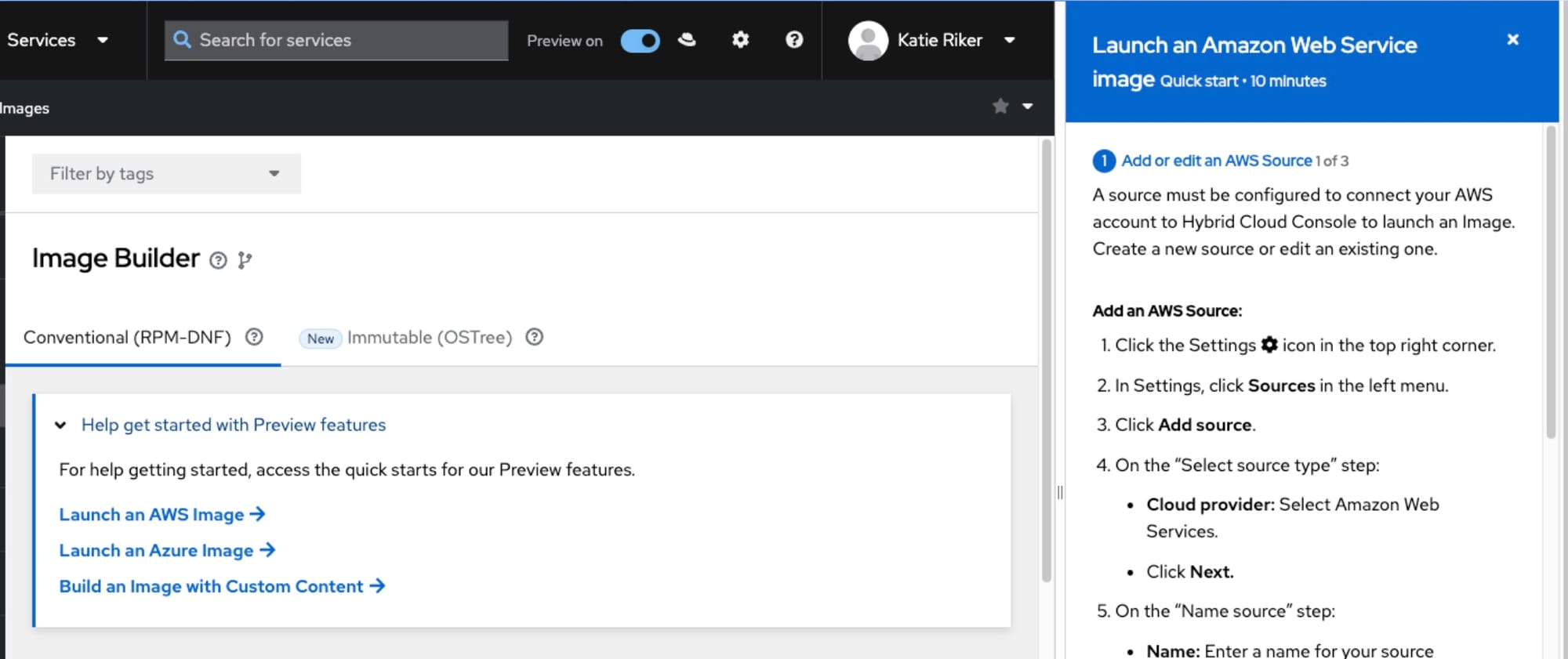
When working on integrating help directly into a product, consider:
- Examine where integrated help may most be needed
- New features,
- Frequently used or frequently accessed in documentation,
- Or, consider a solution that delivers docs to the user in context for many use cases. (This is a big project! I wouldn't recommend starting here!)
- If documentation exists, pull it into a collaborative document to examine for appropriateness in the UI. (Remember: tone and space).
- Test your solutions!
Let's wrap this up
When we started this series together, I told you we would talk about how working together, Technical Writers and UX Designers can do better work. We reviewed four different ideas for how to collaborate:
- Know Before You Go - Use UX artifacts to get previews of upcoming features and functionality
- Sharing is Caring - Share documentation metrics to help target troublesome parts of the user experience
- You're Good with Words, Right? - Collaborate on microcopy and UI writing
- Help You Help Yourself - In-application help and interactions can help users before they go to documentation.
I hope you can take these suggestions and bring it to your own work and build relationships across functions.